 Rightshot
How it works
Three moves. That’s it.
Everything happens with the mouse, right where you’re already pointing.

1
Right-click
Anywhere: a website, a video, any app. A Snip button appears beside the menu.

2
Drag
Over the part you want. Or click once to take the whole screen.
3
Paste
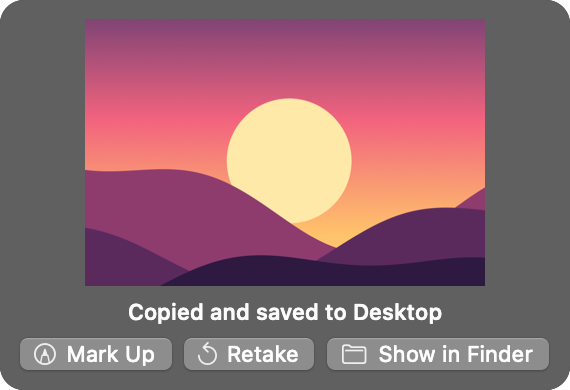
It’s already copied, and saved as a file too. Paste it wherever you were going.
Any mouse, any keyboard
No Mac shortcuts to learn
Mac screenshots normally mean remembering key combinations made for an Apple keyboard. Rightshot doesn’t use any. If you came from Windows, or your keyboard and mouse aren’t Apple’s, it works exactly the same: you right-click.
Shift + Command + 4Shift + Command + 5Control + Shift + Command + 3- Right-click
And when you need more
Still one right-click away



Snip any shape
Rectangle, square, circle or oval. Circles and ovals come out with clear corners, so they drop cleanly onto slides, documents and designs.

Set a timer
Give yourself 3, 5 or 10 seconds to open a menu or hover over something. Rightshot captures the screen for you when the countdown ends.
Mark it up
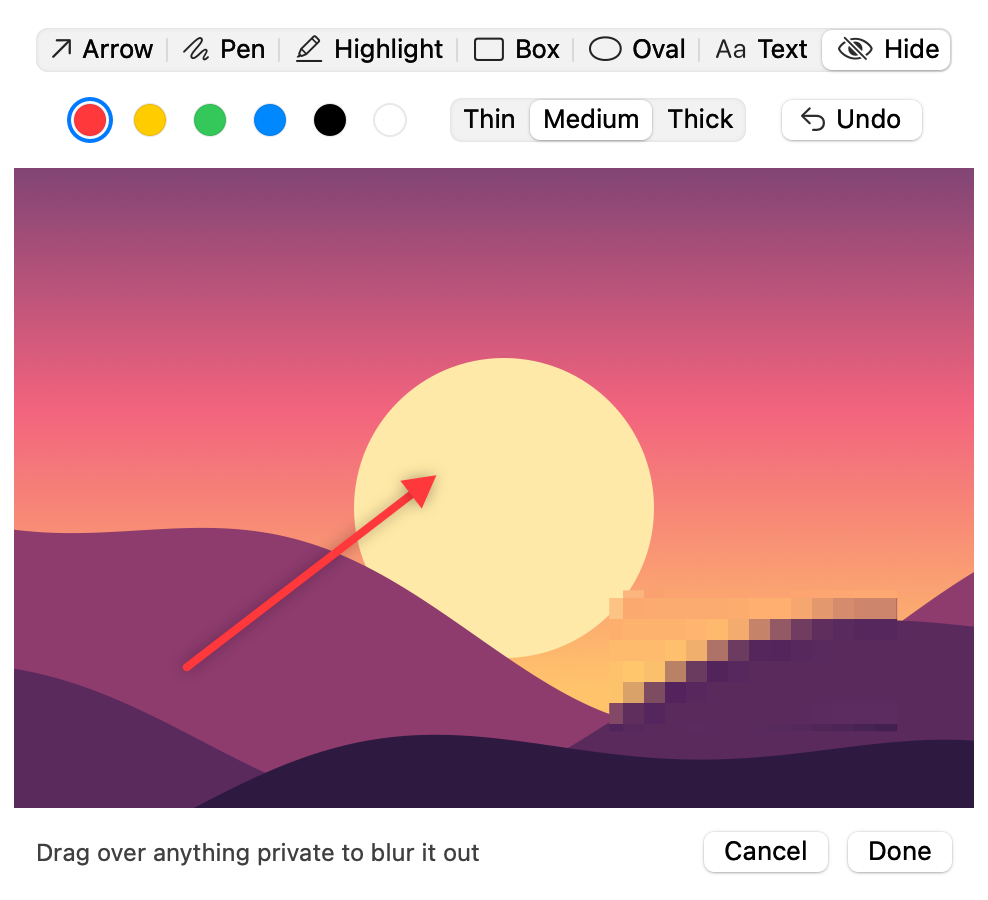
Point with an arrow, draw, highlight, box something in, add text, or blur out a name or an email before you share it.
Copy the words
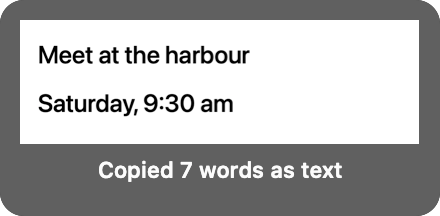
Switch to Text and drag over anything with writing on it: a picture, a video, a page you can’t select. The words land on your clipboard as text you can paste and edit.

Capture a long page
Drag to the bottom of the screen and keep holding. Rightshot scrolls the page for you and joins it into one tall picture. Let go when you have enough.

Record it too
Switch to Video and record the area you pick, in any of the same shapes, with your computer’s sound. It’s saved as an MP4 that plays anywhere.
Good to know
Small, private, yours
Stays on your Mac
Your screenshots and recordings are never uploaded. Rightshot doesn’t connect to the internet at all.
Mouse only
Every action has a button. You never need a keyboard shortcut.
Checked by Apple
Rightshot is signed and notarized, so it opens without security warnings.
Questions
Before you buy
Why does it ask for Screen Recording permission?
macOS asks every screenshot app for it. You switch it on once in System Settings, and Rightshot’s welcome screen walks you through it.
Can “Snip” appear inside the right-click menu itself?
macOS doesn’t let one app add items to other apps’ menus, so the Snip button appears right beside the menu instead, at your pointer.
Where do my snips go?
Onto your clipboard and into a PNG file on your Desktop. You can pick a different folder, or turn either one off.
Does it work with a Windows keyboard or a non-Apple mouse?
Yes. Rightshot never needs a keyboard shortcut, so it works the same with any keyboard and any mouse that can right-click.
How does capturing a long page work?
Hold your drag at the bottom of the screen and Rightshot scrolls the page for you. macOS asks you to allow that once, under Accessibility. If you’d rather not, you can scroll yourself and Rightshot still joins the page together.
Which Macs does it run on?
Macs running macOS 14 or later. It’s built for both Apple silicon and Intel.
Is it a subscription?
No. You pay once.
Can I get a refund?
All sales are final. Because Rightshot is a digital download, we don’t offer refunds once it has been purchased. If it doesn’t work on your Mac, email rightshot@biblehrampi.com and we’ll fix it or refund you.
What about my privacy?
Rightshot collects nothing. It has no account, no analytics and no internet connection, so your screenshots, recordings and copied text never leave your Mac. Card payments are handled by Stripe; we never see your card number. This website uses no tracking or advertising cookies.
How do I get help?
Email rightshot@biblehrampi.com. A real person answers, usually within two working days.